Exclusive Page: Send Returning Users Straight to a Dedicated Landing Page

The most underrated asset in ad campaigns is the returning user. When a user who didn't convert the first time comes back, what you show them next is what determines the ceiling of your second-pass conversion rate. Show them the same page they already saw, and you're treating them like a brand-new visitor — they'll likely leave again.
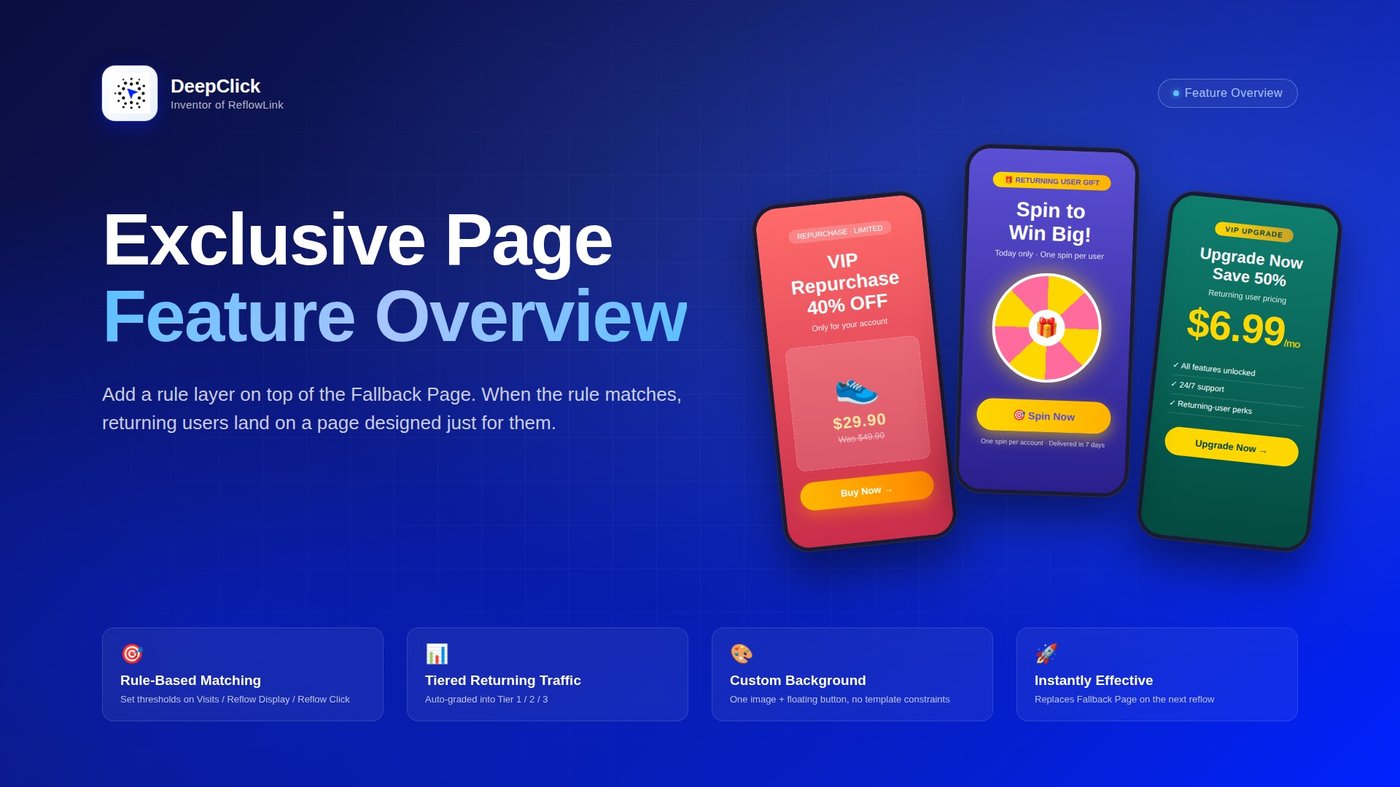
DeepClick adds a layer on top of the Fallback Page: the Exclusive Page. It doesn't replace the Fallback Page or compete with it for traffic — instead, it only triggers for returning users who match a rule you've set. When a user's visits / reflow displays / reflow clicks exceed your threshold, the next time they reflow, they see a page you've designed specifically for returning users.
⚡ TL;DR: The Fallback Page handles all reflow traffic. The Exclusive Page only targets returning users who match a rule — under one ReflowLink, different returning users can see different content.
Want to know how to configure it in the DeepClick Platform backend? See Exclusive Page Setup Guide: Rule-Matched, Direct to a Dedicated Landing Page.
1. What is an Exclusive Page
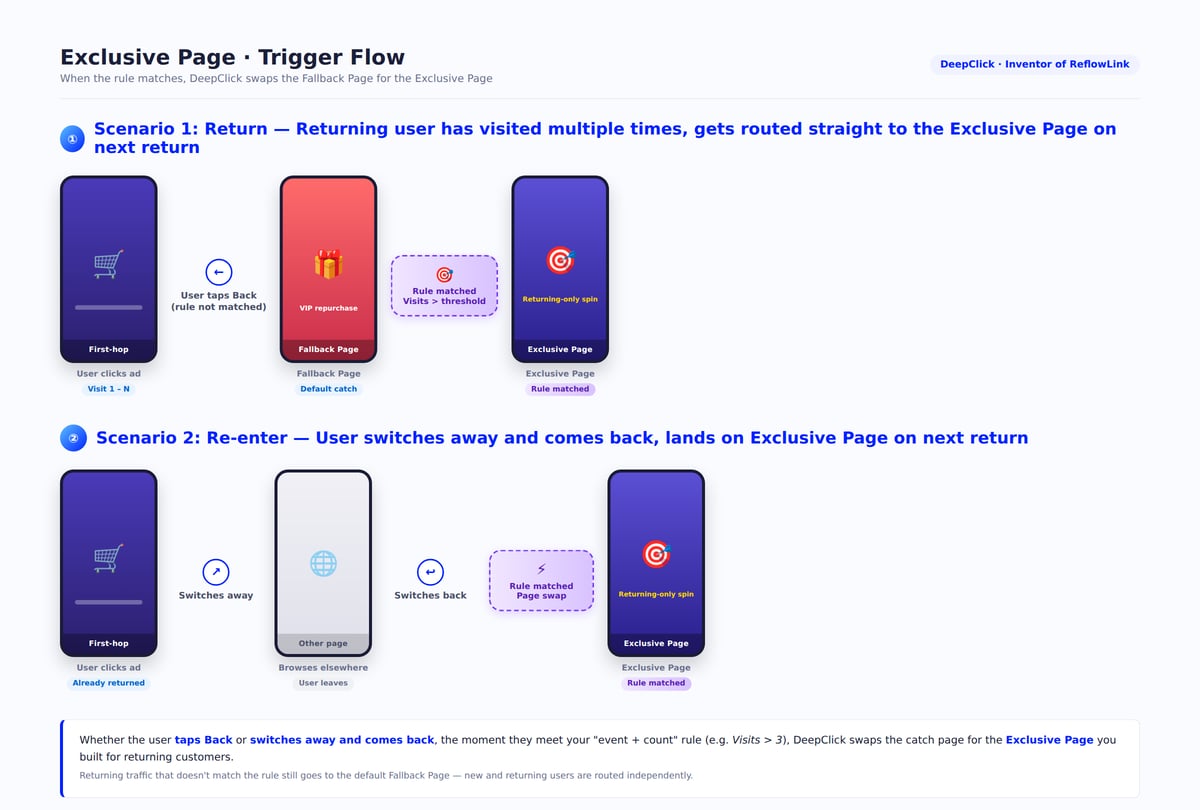
Think of it as a finer layer on top of the Fallback Page: you configure rules on the DeepClick Platform, and the system decides whether each reflow comes from a "returning user." If yes, the Exclusive Page is shown; if no, the default Fallback Page is shown.
The complete flow:
```
Trigger Action Page User Sees
────────────────── ──────────────────────
First click on the ad → First-hop landing page
Reflow (rule NOT matched) → Fallback Page
Reflow (rule matched) → Exclusive Page
```
Key differences from the Fallback Page:
|
Dimension |
Fallback Page |
Exclusive Page |
|---|---|---|
|
Trigger |
Any reflow |
Reflow AND rule matched (visits / reflow displays / reflow clicks exceed threshold) |
|
Audience |
All reflow traffic |
Returning users with N+ reflows |
|
Format |
4 templates (TT-Style Feed / Clean Video Stream / Meta Feed / Plain Single-Page) |
Single full-page background image + optional floating button |
|
Redirect |
Link URL / Custom Address / Other Product |
Custom URL / Products (from Product Library) |
|
Configured in |
ReflowLink editor → Fallback Page Setup |
ReflowLink editor → Exclusive Page Settings |
Stacked together, your reflow traffic is split into "returning user" vs. "everyone else": returning users get the Exclusive Page, everyone else gets the Fallback Page.
2. When Does a User See the Exclusive Page
The Exclusive Page only triggers for users who have already reflowed multiple times — first-time visitors will never see it. The full evaluation logic:
- The user clicks the ad for the first time → browser navigates to the first-hop landing page
- From this moment, the system tracks every action this user takes on this ReflowLink: visit count, reflow display count, reflow click count
- When one of these counts exceeds your threshold (e.g., "visits exceeded 3 times"), the user is identified as a "returning user"
- The next time this returning user reflows (Return / Re-enter), DeepClick swaps the Fallback Page out for the Exclusive Page
In other words, reflows 1 through N go to the Fallback Page, and starting at reflow N+1 traffic goes to the Exclusive Page. You define N in the backend.
3. The Three Dimensions of the Rule
The Exclusive Page rule is a single sentence:
When users [event] exceed [N times], directly enter [Exclusive Page]
You fill in the three slots.
Event (3 options)
|
Event |
What counts as 1 |
|---|---|
|
Visits |
Each time the user opens the ReflowLink — broadest definition of "returning user" |
|
Reflow Display |
The user actually saw the Fallback Page (i.e., a reflow was triggered) — more precise than Visits |
|
Reflow Click |
The user actually clicked on the Fallback Page — strictest definition (already showing conversion intent) |
The three events go from loose to strict, covering the spectrum from "user has been here before" to "user has shown active interest."
Times (1-10)
Threshold from 1 to 10. The higher the threshold, the stricter the trigger condition — fewer users match, but the matched users are higher quality.
The Exclusive Page
Pick one of the Exclusive Pages you've already created. When the rule matches, this page replaces the Fallback Page.
4. What an Exclusive Page Looks Like
The Exclusive Page works differently from the Fallback Page's "4 templates" system — it's simpler: a full background image + an optional floating button.
Landing Page Background
The entire visual is yours to design — product hero shots, campaign posters, lottery wheels, new-user reward pages, anything that can communicate value in a single image. Supports jpg / jpeg / png / gif / apng / webp.
Floating Button (optional)
Toggle it on, and a floating button overlays the background. Configurable separately:
- Button Text: free-form
- Button Fill: solid color or gradient (Linear Gradient with adjustable start/end colors)
- Button Redirect Address: pick from "Custom URL" or "Products"
💡 No template constraints — meaning you can design the entire page around what works for this returning-user segment: campaigns, limited offers, repurchase rewards, exclusive recommendations. Whatever resonates with this group, you build for it.
5. Two Redirect Types
Clicks on the Exclusive Page (clicking the floating button, or anywhere on the page if there's no button) can navigate to two types of destinations:
|
Type |
What it means |
|---|---|
|
Custom URL |
Navigate to any external URL — most flexible. Campaign pages, product details, deeplinks |
|
Products |
Pick a product you've maintained in the DeepClick Product Library — navigates to that product's standard conversion path (mobile app install / web page / etc.) |
The advantage of going through Products is you don't have to re-enter URLs and install info every time — your app is already in the Product Library, and the Exclusive Page just attaches to it.
6. When to Use an Exclusive Page
Not every product needs an Exclusive Page. Three scenarios where it pays off most:
1. Repurchase-driven products: e-commerce, subscriptions, consumable apps. When returning users come back, show them "repurchase offer / VIP upgrade / exclusive reward" pages — a much shorter conversion path than the first-time visitor's "product introduction" page.
2. High-decision-cost products: finance, education, SaaS. New users hesitate, returning users already understand the product → the Exclusive Page can directly show "open account / upgrade now" CTAs, skipping the explanation phase.
3. Multi-product portfolios: one ReflowLink, multiple products behind it. The Exclusive Page can point to a different product than the first-hop page — push product A on first impression, switch to product B on reflow for cross-selling.
7. Next: Configure It
Now that you know what the Exclusive Page is, when it triggers, and how rules work — the next step is to configure it in the DeepClick Platform.
See Exclusive Page Setup Guide: Rule-Matched, Direct to a Dedicated Landing Page, 9 steps to walk through creating the page + mounting it on a ReflowLink + configuring the rule.
